> ## Documentation Index
> Fetch the complete documentation index at: https://docs.costcare.ai/llms.txt
> Use this file to discover all available pages before exploring further.
# Aura
> Learn how to write requests for Aura, investigate issues, update AI agents, and analyze chats.
## What is Aura?
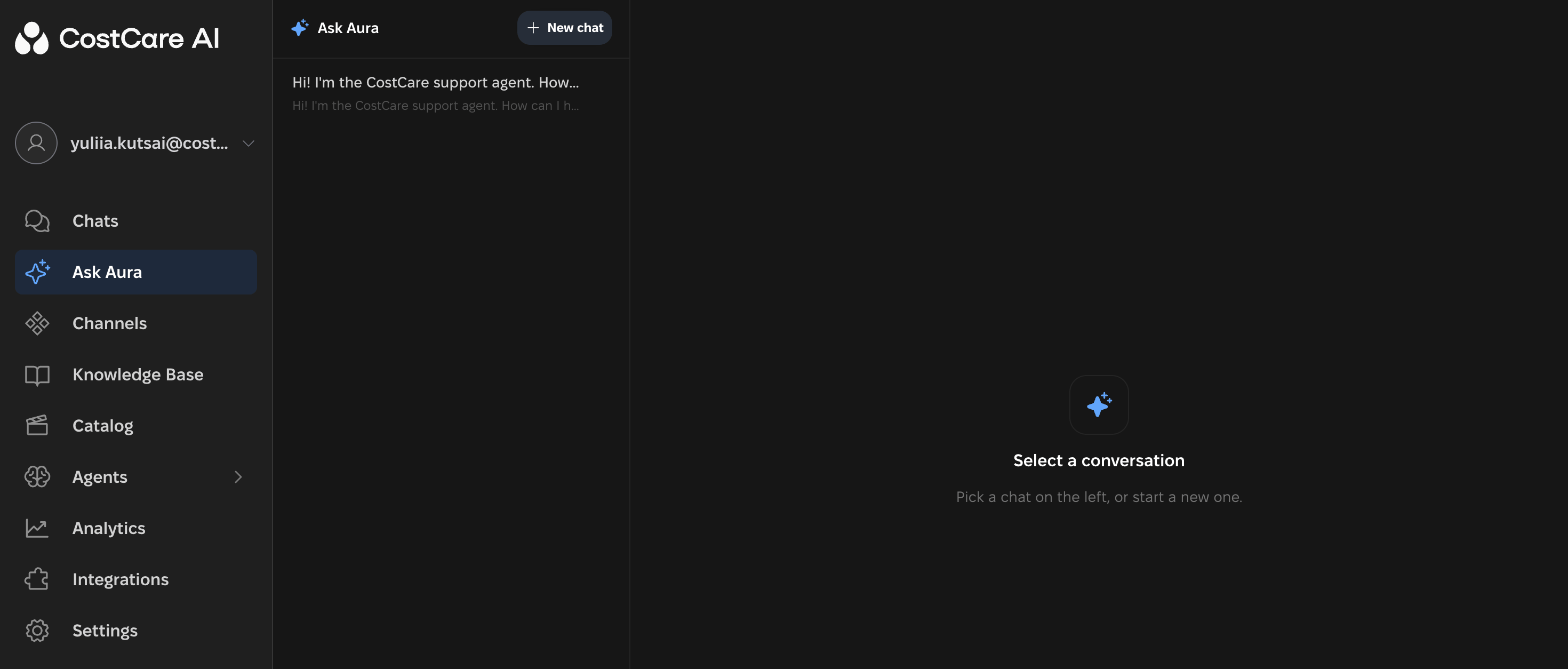
Aura is an AI assistant for managing, analyzing, and improving CostCare AI. Describe an issue, a change, or a task, and Aura identifies the request type and brings in the appropriate AI specialist.
## The main rule
**New issue or goal → new request → new chat.**
Start a separate chat for a new request type. If you are clarifying details of the same task, continue in the current chat.
Start a new chat when you:
* Report a new issue.
* Want to make a different type of request.
* Add a separate task, case, or AI agent.
 ***
## Request types
Use when you see an issue but do not know its cause.
Use when you know exactly what needs to change.
Use when you need to identify patterns across multiple chats.
### Investigate
Use **Investigate** when you see an issue but do not know why it happened. The specialist examines specific chats and AI agent behavior to find the cause.
This request type helps you understand why an AI agent:
* Gives an incorrect answer.
* Does not follow the required scenario.
* Repeats questions, messages, or steps.
* Skips an important stage of the conversation.
**Example request**
> In this conversation \[conversation link], the AI agent moves to selling too quickly and does not clarify the customer's needs. Investigate why this happens. Do not make changes yet — find the cause first.
To help Aura find the chat or AI agent, include a conversation link, a username from the communication channel, a phone number, a screenshot, or the AI agent's name.
### Update
Use **Update** when you know exactly what needs to change. If the cause is unclear, start with **Investigate**.
Aura proposes changes, updates, or improvements and tests them before presenting them to you. When the work is complete, Aura typically asks whether to apply the changes to the live agent.
**Example request**
> Change the response logic for delivery questions. If a lead asks about delivery time, the AI agent should say that delivery takes 1–3 business days. Do not use the wording “up to 5 days.”
### Analyze
Use **Analyze** to identify patterns across conversations. Aura can analyze **up to 50 chats per request**. After the analysis, Aura attaches the results as a file in the conversation.
Use analysis to:
* Prepare recommendations for improvement.
* Find recurring issues, frequently asked questions, and objections.
* Identify weaknesses in chats and AI agents.
* Assess the quality of AI agent communication and the reasons leads are lost.
**Example request**
> Analyze the last 50 chats. Identify:
>
> 1. Which questions customers ask most often.
> 2. Where conversations most often end.
> 3. In which situations the AI agent cannot provide an answer.
> 4. Which recurring communication issues appear.
>
> Do not make changes yet. Share your findings first.
***
## How to give Aura feedback
Explain your task in text, add a screenshot or link, or dictate it by voice. Structure your request around five points:
1. **What happened?** Briefly describe the issue or observation.
2. **Where did you see it?** Include a specific chat, example, screenshot, or file.
3. **What is wrong?** Explain which part of the behavior is incorrect.
4. **What should happen instead?** Describe the expected AI agent behavior after the fix.
5. **What should Aura do now?** State one clear request.
## Strong and weak requests
### Weak request
> The AI agent responds poorly to customers. Fix it!
This request does not provide enough information:
* There are no specifics or source examples.
* It is unclear what exactly is wrong.
* The expected behavior is not explained.
* The request type is not specified: investigation, update, or analysis.
### Strong request
> In this chat \[chat link], the AI agent repeated the delivery information three times and then asked a question the customer had already answered.
>
> Expected behavior: if the customer has already provided information, the AI agent should not ask for it again.
>
> First, investigate why this happened. Do not make changes.
This request includes:
* A link to a chat with a specific example of the error.
* A clear description of the issue.
* The expected behavior and the condition under which it should apply.
* A clear task for Aura, including the request type and the order of actions.
***
## Checklist before sending a request
Take 30 seconds to review your request for a better result. Check the items that apply to your task. When reviewing request types and sources, choose the relevant option.
### 1. Is this a new request?
* [ ] If the issue, goal, or task is new, start a new chat.
* [ ] If you are clarifying the same task, continue in the current chat.
### 2. Have you clearly described what happened?
* [ ] There is a specific issue or observation.
* [ ] There are no vague statements such as “The AI agent is not working correctly. Fix it.”
### 3. Have you included a source or example?
* [ ] A link to a specific chat.
* [ ] A screenshot.
* [ ] A file.
* [ ] Another example.
### 4. Have you explained what is wrong?
* [ ] You identify the specific incorrect behavior.
* [ ] The issue is clear, rather than simply stating that “the answer is bad.”
### 5. Have you described what should happen instead?
* [ ] You specify the expected AI agent behavior or action.
* [ ] You describe the result you want to achieve.
### 6. Have you chosen the right request type?
* [ ] **Investigate** — when you see an issue but do not know its cause.
* [ ] **Update** — when you know exactly what needs to change.
* [ ] **Analyze** — when you need to identify patterns across many chats.
### 7. Is the cause unclear?
* [ ] Use **Investigate** first.
* [ ] After the investigation, proceed to **Update**.
### 8. Does the chat focus on one task?
* [ ] Do not combine several independent issues in one request.
* [ ] Start a new chat for a different issue, case, or AI agent.
### 9. If you only need analysis, have you said so explicitly?
* [ ] Include a clear instruction, such as “Do not change anything yet. Share your findings first.”
### 10. Have you clearly stated what Aura should do now?
Specify the action you need:
* [ ] Find the cause.
* [ ] Make a specific change.
* [ ] Analyze chats.
* [ ] Use the attached information.
* [ ] Suggest improvements.
***
## Request types
Use when you see an issue but do not know its cause.
Use when you know exactly what needs to change.
Use when you need to identify patterns across multiple chats.
### Investigate
Use **Investigate** when you see an issue but do not know why it happened. The specialist examines specific chats and AI agent behavior to find the cause.
This request type helps you understand why an AI agent:
* Gives an incorrect answer.
* Does not follow the required scenario.
* Repeats questions, messages, or steps.
* Skips an important stage of the conversation.
**Example request**
> In this conversation \[conversation link], the AI agent moves to selling too quickly and does not clarify the customer's needs. Investigate why this happens. Do not make changes yet — find the cause first.
To help Aura find the chat or AI agent, include a conversation link, a username from the communication channel, a phone number, a screenshot, or the AI agent's name.
### Update
Use **Update** when you know exactly what needs to change. If the cause is unclear, start with **Investigate**.
Aura proposes changes, updates, or improvements and tests them before presenting them to you. When the work is complete, Aura typically asks whether to apply the changes to the live agent.
**Example request**
> Change the response logic for delivery questions. If a lead asks about delivery time, the AI agent should say that delivery takes 1–3 business days. Do not use the wording “up to 5 days.”
### Analyze
Use **Analyze** to identify patterns across conversations. Aura can analyze **up to 50 chats per request**. After the analysis, Aura attaches the results as a file in the conversation.
Use analysis to:
* Prepare recommendations for improvement.
* Find recurring issues, frequently asked questions, and objections.
* Identify weaknesses in chats and AI agents.
* Assess the quality of AI agent communication and the reasons leads are lost.
**Example request**
> Analyze the last 50 chats. Identify:
>
> 1. Which questions customers ask most often.
> 2. Where conversations most often end.
> 3. In which situations the AI agent cannot provide an answer.
> 4. Which recurring communication issues appear.
>
> Do not make changes yet. Share your findings first.
***
## How to give Aura feedback
Explain your task in text, add a screenshot or link, or dictate it by voice. Structure your request around five points:
1. **What happened?** Briefly describe the issue or observation.
2. **Where did you see it?** Include a specific chat, example, screenshot, or file.
3. **What is wrong?** Explain which part of the behavior is incorrect.
4. **What should happen instead?** Describe the expected AI agent behavior after the fix.
5. **What should Aura do now?** State one clear request.
## Strong and weak requests
### Weak request
> The AI agent responds poorly to customers. Fix it!
This request does not provide enough information:
* There are no specifics or source examples.
* It is unclear what exactly is wrong.
* The expected behavior is not explained.
* The request type is not specified: investigation, update, or analysis.
### Strong request
> In this chat \[chat link], the AI agent repeated the delivery information three times and then asked a question the customer had already answered.
>
> Expected behavior: if the customer has already provided information, the AI agent should not ask for it again.
>
> First, investigate why this happened. Do not make changes.
This request includes:
* A link to a chat with a specific example of the error.
* A clear description of the issue.
* The expected behavior and the condition under which it should apply.
* A clear task for Aura, including the request type and the order of actions.
***
## Checklist before sending a request
Take 30 seconds to review your request for a better result. Check the items that apply to your task. When reviewing request types and sources, choose the relevant option.
### 1. Is this a new request?
* [ ] If the issue, goal, or task is new, start a new chat.
* [ ] If you are clarifying the same task, continue in the current chat.
### 2. Have you clearly described what happened?
* [ ] There is a specific issue or observation.
* [ ] There are no vague statements such as “The AI agent is not working correctly. Fix it.”
### 3. Have you included a source or example?
* [ ] A link to a specific chat.
* [ ] A screenshot.
* [ ] A file.
* [ ] Another example.
### 4. Have you explained what is wrong?
* [ ] You identify the specific incorrect behavior.
* [ ] The issue is clear, rather than simply stating that “the answer is bad.”
### 5. Have you described what should happen instead?
* [ ] You specify the expected AI agent behavior or action.
* [ ] You describe the result you want to achieve.
### 6. Have you chosen the right request type?
* [ ] **Investigate** — when you see an issue but do not know its cause.
* [ ] **Update** — when you know exactly what needs to change.
* [ ] **Analyze** — when you need to identify patterns across many chats.
### 7. Is the cause unclear?
* [ ] Use **Investigate** first.
* [ ] After the investigation, proceed to **Update**.
### 8. Does the chat focus on one task?
* [ ] Do not combine several independent issues in one request.
* [ ] Start a new chat for a different issue, case, or AI agent.
### 9. If you only need analysis, have you said so explicitly?
* [ ] Include a clear instruction, such as “Do not change anything yet. Share your findings first.”
### 10. Have you clearly stated what Aura should do now?
Specify the action you need:
* [ ] Find the cause.
* [ ] Make a specific change.
* [ ] Analyze chats.
* [ ] Use the attached information.
* [ ] Suggest improvements.