
- Open Settings → Agent hours.
- Enable Limit the AI agent to these hours to apply a schedule.
- Select a Time zone, enable the relevant days, and set working hours. Use Copy to all days if needed.
- To use your business schedule, click Same as business hours and review the resulting settings.
- In Days off, select the relevant dates and click Add date.
- Click Save agent hours.
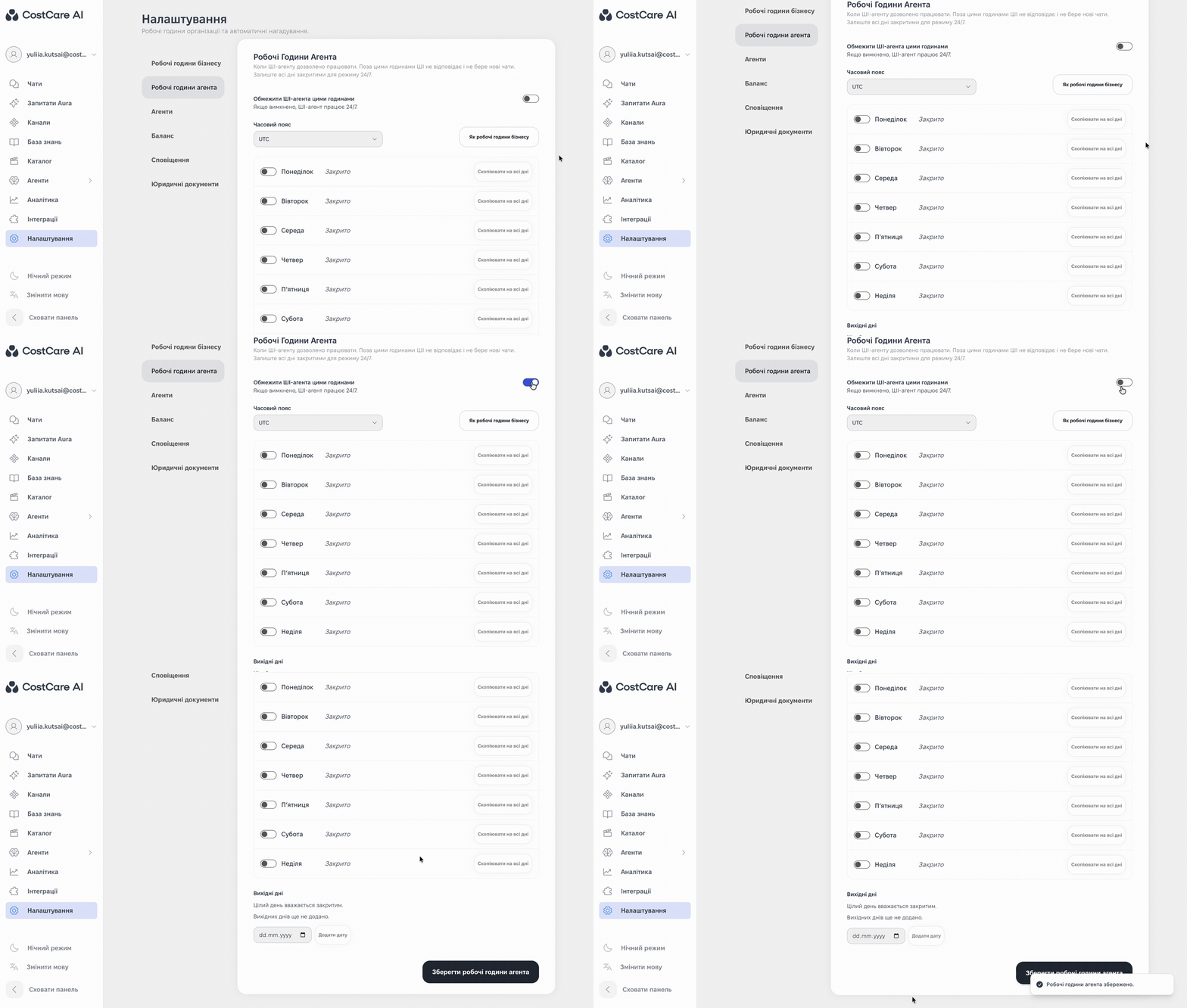
The illustration shows the Ukrainian interface.