
- Open Settings → Business hours.
- Select your business’s Time zone.
- Enable the relevant days of the week and set the start and end times.
- If the schedule is the same across days, click Copy to all days next to a configured day. After copying, check each day and disable non-working days.
Add days off and save the schedule
- Scroll to the Days off section.
- Select a date and click Add date. The entire date is treated as closed.
- Repeat for any other days off.
- Click Save business hours.
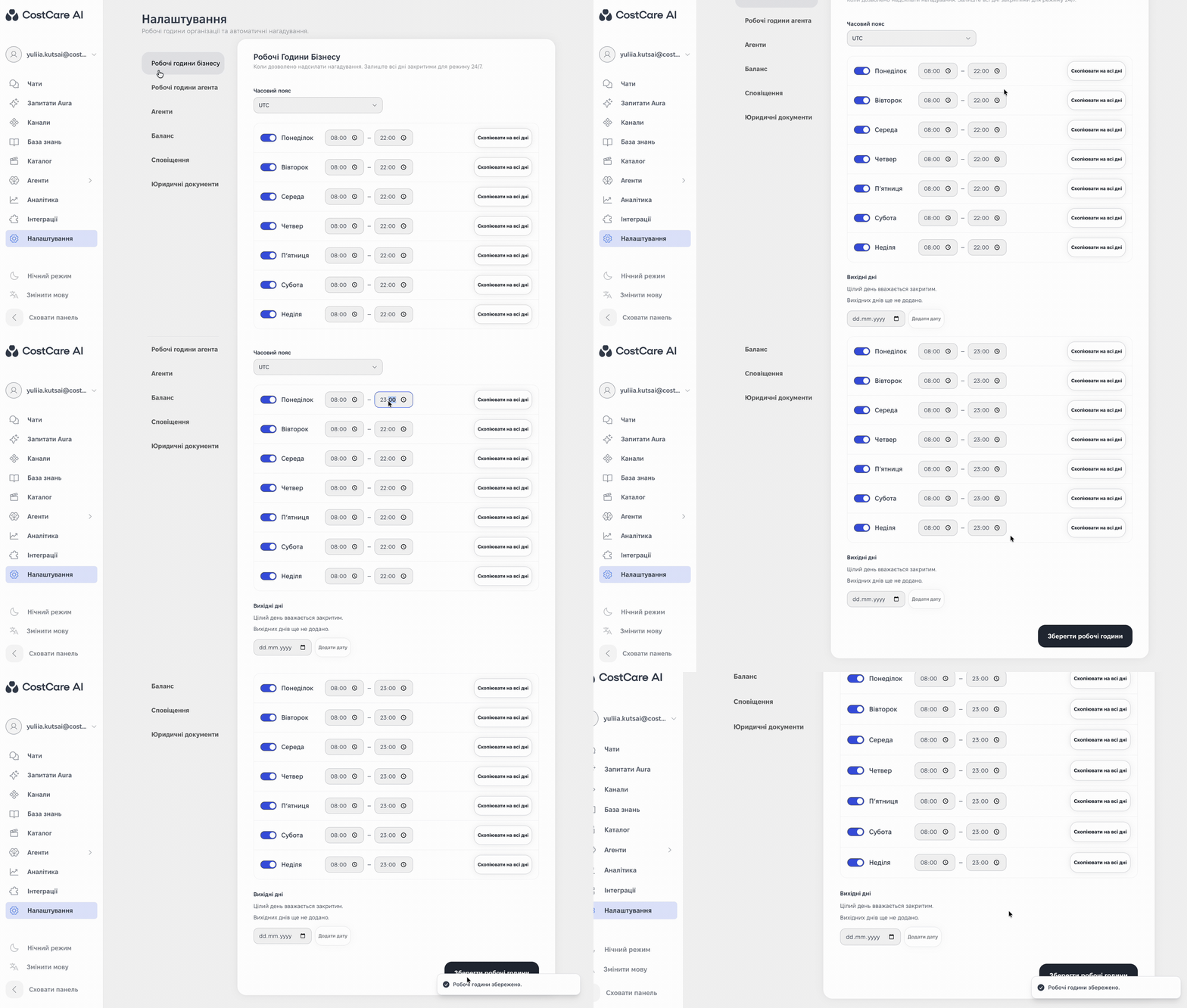
The illustration shows the Ukrainian interface.
The interface tooltip states that closing all days means 24/7 availability. Do not disable all days as a way to stop reminders.